

Gorilla Dash’s new Event Calendar streamlines scheduling, invitations and reminders—making franchise communication smoother, faster and smarter than ever.
If you’re using a separate app to invite franchisees to a company function, you’re creating extra work for yourself.
Because — surprise! — the Event Calendar integrates seamlessly with the other Gorilla Dash tools.
On a single page, you’re going to create the event, set up the details, send email invitations to exactly the right audience, and schedule notification reminders ahead of time.
Quick and done.
The contact lists are already built in, so there’s no looking up email addresses. You can upload files if you wish attendees to download a packet ahead of time. Events can be set up with a real-world address or a meeting link.
This handy little app is great for:
- Company-wide trainings or ones for a specific group
- Reminding franchisees of mandatory deadlines
- Communicating the dates for new marketing campaigns
- Informing everyone about helpful conferences and why they should sign up
If you’re spending way too much time jumping between calendar apps, you owe it to yourself to set up the Event Calendar.
Quick Gorilla Dash Guide |
Setting up an event |
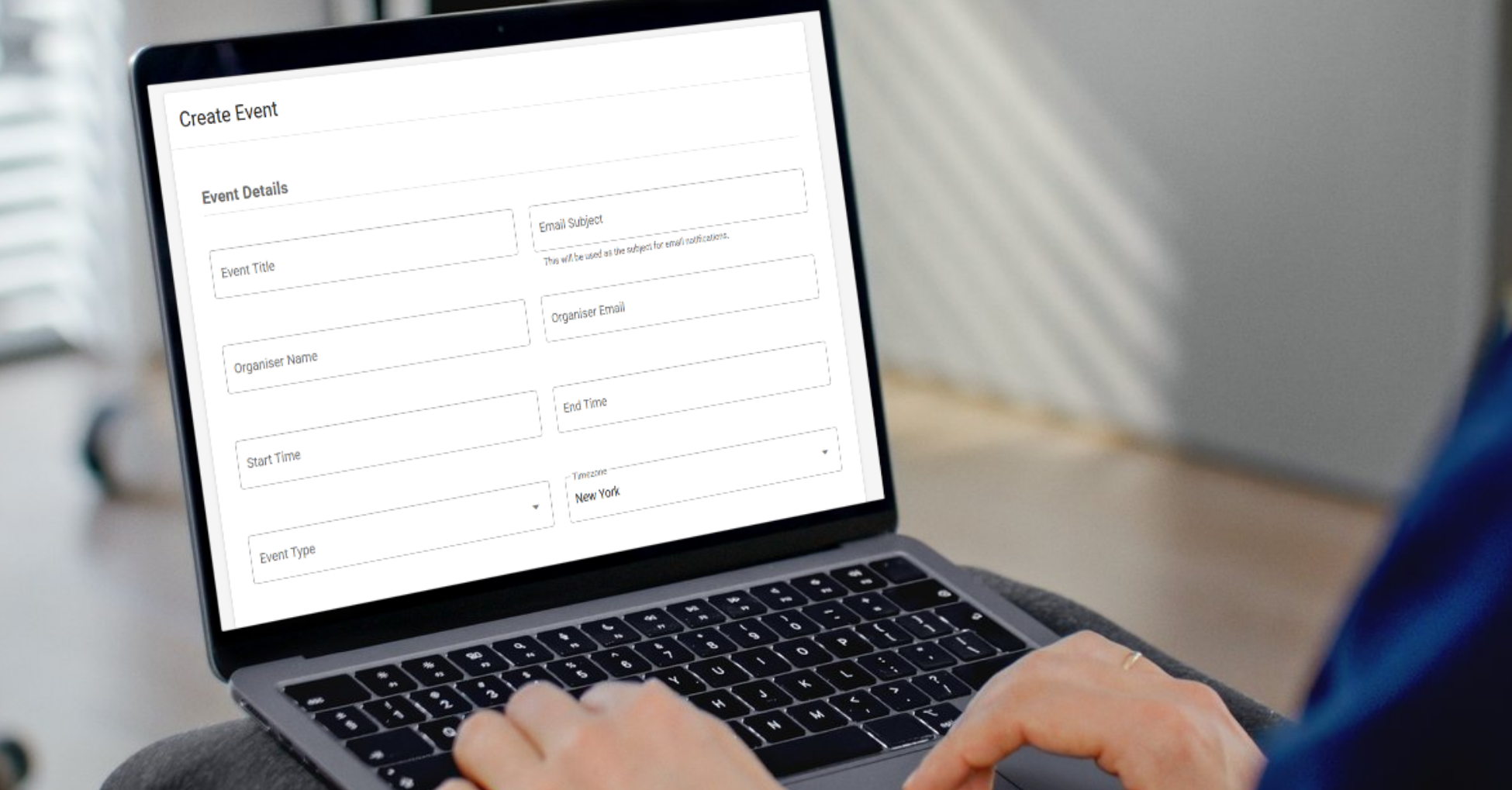
When you schedule an event, you’re also setting up an email invitation. That’s why you’ll need not only the Event Title and Start Time but also the Organizer Name and Organizer Email, where the event invitation will be sent.
Don’t forget to select the right Time zone so that the event
The Event Type is also required, and the options you have to choose from depend on your organization.
Under Location Details, you have a choice between an in-person location or a link to an online meeting.
Select your Invitees by choosing a Contact List. If you need a new list, you’re able to manage the lists right from the calendar screen.
Finally, write out an Event Description with all the details.
|
Click Publish to schedule the event and send out the invites! |
What’s ahead? |
|
Take some time to think through the upcoming months. What do you need franchisees to know? What do you want them to attend? What deadlines do they need to remember? Happy scheduling! |
|
Mark Li |
|
Email Mark@gorilladash.com. |
Disclaimer:
If any facts in our articles are incorrect or you would like an article removed please email us at news@gorilladash.com.